"The code is exactly
how I would like to write code and the algorithms used are very
efficient and well-documented."
Van T. Dinh, Microsoft MVP
|
|
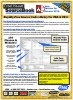
Module: modReferences
Manage library references from VBA projects
|
Procedure Name
|
Type
|
Description
|
|
(Declarations)
|
Declarations
|
Declarations and private variables for the modReferences module
|
|
ReferenceAddFromFile
|
Procedure
|
Adds a reference from the specified file.
In order to reference objects of code from another database or library in your VBA code, you need to add a Reference to that database or object. This can be done manually using the Tools|References option from the VBA project menu. To work with references programmatically, you use the References collection of the Application object. This procedure uses the AddFromFile method of the References collection to add a new reference.
|
|
ReferenceExists
|
Procedure
|
Determines if the named reference exists in the current project.
In order to reference objects of code from another database or library in your VBA code, you need to add a Reference to that database or object. This can be done manually using the Tools|References option from the VBA project menu. To work with references programmatically, you use the References collection of the Application object. This procedure uses this collection to determine if a reference exists.
Note: The reference may exist and still be invalid. See the ReferenceIsValid() procedure.
|
|
ReferenceIsValid
|
Procedure
|
Determines if the named reference is valid (non-broken).
In order to reference objects of code from another database or library in your VBA code, you need to add a Reference to that database or object. This can be done manually using the Tools|References option from the VBA project menu. To work with references programmatically, you use the References collection of the Application object. This procedure uses this collection to determine if a reference is valid.
|
|
ReferenceNamesToArray
|
Procedure
|
Fills the passed array with a list of reference names.
In order to reference objects of code from another database or library in your VBA code, you need to add a Reference to that database or object. This can be done manually using the Tools|References option from the VBA project menu. To work with references programmatically, you use the References collection of the Application object. This procedure uses this collection to populate the passed array with a list of all current references in the current database.
|
|
ReferenceNamesToString
|
Procedure
|
Fills the passed string with a list of reference names.
In order to reference objects of code from another database or library in your VBA code, you need to add a Reference to that database or object. This can be done manually using the Tools|References option from the VBA project menu. To work with references programmatically, you use the References collection of the Application object. This procedure uses this collection to populate the passed string with a list of all current references in the current database.
|
|
ReferencesToArray
|
Procedure
|
Populates an array with a list of references in the current project.
This function is similar to ReferencesToArray() except that it includes additional type information for each reference.
|
Overview of Total Visual SourceBook
The source code in Total Visual
SourceBook includes modules and classes for Microsoft Access, Visual
Basic 6 (VB6), and Visual Basic for Applications (VBA) developers. Easily
add this professionally written, tested, and documented royalty-free code
into your applications to simplify your application development efforts.
Additional Resources
|
|