
October 2009
For Microsoft Access, SQL Server,
Visual Studio .NET, and VB6 Professionals
Hi Everyone,
 We
hope you had a nice summer, and that you are prospering despite the
difficult economic environment that we’ve seen in the past year. We
hope you had a nice summer, and that you are prospering despite the
difficult economic environment that we’ve seen in the past year.
FMS was founded in October 1986, so we're celebrating the start of
our 24th year in business this month! Over the decades, we've seen many
technological and economic cycles–from the stock market crash in October
1987, only a year into my business, to the dot-com boom in 2000, to
recent economic downturn.
While we can’t control what happens in world around us, what's
allowed us to be successful both organizationally and individually is
staying close to our customers and understanding your needs. Economic
cycles come and go, but what never changes is the need to apply evolving
technology in a cost effective and productive manner. We hope that our
tools have helped you accomplish this, and that you continue to turn to
us for all your IT needs.
 For
our friends Down Under, I'm looking forward to speaking at the Office
Devcon 2009 in Brisbane, Australia at the end of the month. If you're
there, I look forward to seeing you. For
our friends Down Under, I'm looking forward to speaking at the Office
Devcon 2009 in Brisbane, Australia at the end of the month. If you're
there, I look forward to seeing you.
Once again, thank you for your support over the past 23 years. We
look forward to serving you for many more years.
Best wishes,
Luke Chung
President
Contents
Product Feature: Total Access Analyzer
Total Access
Analyzer is the most popular Microsoft Access add-in of all time. It
incorporates our decades of database and Access development experience
to offer valuable documentation, detect mistakes, and offer suggestions
to apply the Best Practices we've learned.
By examining your entire database, it discovers complex relationships
among objects and hidden problems. Pinpoint unused code, unreferenced variables (assigned but
not used), references to missing objects, variable name
conflicts, design inconsistencies, performance improvements,
and much more.
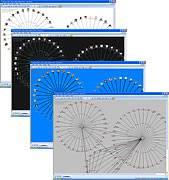
We've added some more examples of the 350+
Microsoft Access documentation reports it generates. See
how Total Access Analyzer can significantly improve your
productivity, reduce errors, and teach you to become a
better developer.
 See
You In Australia: Meet Luke Chung, President of FMS, Inc. See
You In Australia: Meet Luke Chung, President of FMS, Inc.
Office Devcon 2009
October 31 - November 1, 2009
Brisbane, Australia
Luke will be giving several presentations on
Microsoft Access application development and our
products at this conference. Hosted at the University of Queensland, St. Lucia
campus, we hope you see him Down Under.
 Access Tip: Use the
AppendOnly Property and the ColumnHistory Method to Keep
Historical Data for Memo Fields Access Tip: Use the
AppendOnly Property and the ColumnHistory Method to Keep
Historical Data for Memo Fields
In Access 2007-Format databases (ACCDBs), the AppendOnly
property for Memo fields allows you to store a history of the changes
made to the field. The history of the Memo field can later be
retrieved
using the ColumnHistory method.
Are You Willing to be an FMS Customer Reference for
Microsoft?
Each year, Microsoft requests some customer references as part of our
Gold Certification process. If you'd like to provide feedback to
Microsoft as one of our valued customers, please
contact us.
If selected, you'll be invited to fill out an anonymous online survey
from a 3rd party firm to share your experiences with our products and
services.
Of course, you can always share your experiences and provide
testimonials about us directly. We may even publish your comments on our
website. As always, we thank you for your support!
Access
Tip: For Access Forms, Reference Tab Pages by their PageIndex
Rather than Tab Value
A Microsoft Access tab control contains pages (tabs)
with each page identified by its PageIndex property starting with 0. The
value determines the order of the tabs. While using the tab's value
works, it's not the best over time. If the tabs are reordered (for
instance page 0 and 1 are swapped), the values no longer reference the
original pages and your code will crash or not work properly. Similarly,
if you add/insert or delete tabs, the values no longer reference the
pages as expected. Instead, use
the PageIndex property.
New Look of our Website
Our website has undergone a complete redesign. While
we're still working on portions of it, please check it out for a more
modern look. We'll be making even more
enhancements in the near future.
Outlook Tip: Delay Sending
Your Emails
Have you ever sent a message in Outlook and immediately
wished you could get it back? How many times do you realize you forgot
to insert an attachment as soon as you pressed Send? What about seeing a
related email that came in while you were composing your message which
changes how you should have replied?
Fortunately, Microsoft Outlook lets you set a rule
to delay all your
messages for a few minutes. This simple feature keeps your
message in your outbox so you can update it if you remember something
right after you press Send.
Microsoft
Access Query Tips and Techniques Paper
Published on MSDN
 Our
popular Microsoft Access Query
Tips and Techniques paper was recently published by Microsoft on
their MSDN site. It covers the basics of queries and
non-programmatic solutions through more advanced topics including the
programmatic use of queries. We recently updated it with a new page for
Update Query
syntax. To see it on MSDN, visit
here. Our
popular Microsoft Access Query
Tips and Techniques paper was recently published by Microsoft on
their MSDN site. It covers the basics of queries and
non-programmatic solutions through more advanced topics including the
programmatic use of queries. We recently updated it with a new page for
Update Query
syntax. To see it on MSDN, visit
here.
Do you know how to find hidden relationships in your data? How about
identifying clusters and patterns?
With Sentinel Visualizer, you can do this and more. Perform ad-hoc
analysis, test theories and organize complex data networks into real
business intelligence. Want to learn more? Visit our
Sentinel Visualizer
site to learn more today.
Or contact us
for more information.
Thank you for your continued interest in FMS, Inc.
|
|

FREE Anti-Virus Program from Microsoft
Our preliminary tests of Security Essentials shows that
it works well even on the machines of developers.
Download it for free...
________________
Microsoft Access 2007 Hotfix
This Service Pack includes the latest fixes for Access 2007
________________
5 Tips When Working Remotely
Use these tips to improve how you communicate with co-workers from home.
________________
PDC09 is Coming
See the future of developer technology November 17-19 in Los Angeles,
register today
|
Resources
Your Opinion Matters
Our newsletters are designed for you, the FMS customer.
To help us provide better service, we encourage you to send
us your suggestions and comments about "The Buzz", as well
as our products and services.
We are constantly trying to improve the quality of our
service to you, and your input is invaluable.
See something useful and you'd like to see more of it?
Want more Microsoft updates?
Please let us know what you want to see. Simply
email us
with suggestions, comments, or requests.
|
Past Issues of the BUZZ
Have you missed a past issue of our Buzz email newsletter?
You'll find recent issues conveniently archived for easy retrieval. Get all the
tips, news, product updates, and more!
All the news that's fit to email!
|

|




 Email Newsletter
 Developer Team Blog
 Facebook
 Twitter
 Support Forum
 Demos
Demos Microsoft Access
Developer Help Center
Microsoft Access
Developer Help Center Microsoft Access
Query Help Center
Microsoft Access
Query Help Center

 Technical Papers
 Tips and Techniques
 Videos





 Newsletters
