 Microsoft Access Query Help Center
Examples, Syntax, VBA, Errors, Tips, and Techniques for Beginners to Advanced Access Users and Developers
Here are some of our resources to help you better understand and use Microsoft Access queries across all MS Access versions.
- Microsoft Access Query Tips and Techniques (SQL and VBA) (featured on MSDN)
- Microsoft Access and SQL Server Database Normalization Tips
- Using a Microsoft Access Crosstab Query to Create Monthly Summary Reports without Code
- Difference Between "Unique Values" (SELECT DISTINCT) and "Unique Records" (SELECT DISTINCTROW) in Microsoft Access Queries
- Microsoft Access/SQL Server Not-In Query Tip: Finding Records in One Table but Not Another with Outer Join Queries
Quickly find missing and orphaned records. - Sorting on Multiple Date (or Numeric) Fields with Blank Values
- Microsoft Access Union vs. Union All SQL Query Syntax
- Microsoft Access Append Query Examples and SQL INSERT Query Syntax REVISED
- Microsoft Access Delete Query, SQL Syntax, Examples and Errors REVISED
- Microsoft Access Update Query, SQL Syntax, Examples and Errors REVISED
- Microsoft Access Update Query to Convert a Field to Proper Case
- Operation must use an updateable query, This Recordset is not updateable: Dealing with Non-Updateable Microsoft Access Queries
- Run Microsoft Action Queries in VBA and Hide Warnings without Using DoCmd.SetWarnings
- Returning the Number of Records or Rows Affected by an Action Query in Microsoft Access with VB6/VBA
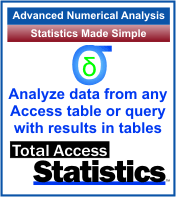 Discover how Total Access Statistics brings advanced numerical analysis to Microsoft Access. Running as a Microsoft
Access add-in, Total Access Statistics extends the power of MS Access queries with a wide range of statistical analysis including the calculations of percentiles,
regressions, correlations, frequency distributions, rankings, financial cash flow analysis, moving averages and sums, t-Tests, ANOVA group analysis,
Chi-square, non-parametrics, probabilities, etc. It can even perform data normalization of your "spreadsheet like" tables.
Discover how Total Access Statistics brings advanced numerical analysis to Microsoft Access. Running as a Microsoft
Access add-in, Total Access Statistics extends the power of MS Access queries with a wide range of statistical analysis including the calculations of percentiles,
regressions, correlations, frequency distributions, rankings, financial cash flow analysis, moving averages and sums, t-Tests, ANOVA group analysis,
Chi-square, non-parametrics, probabilities, etc. It can even perform data normalization of your "spreadsheet like" tables.
All results are in Access tables that you can query or add to your forms and reports. A statistical analysis library offers a programmatic interface to VBA developers. A royalty-free runtime distribution license is included.



Total Access Detective 2026
Find Differences between Access databases and objects!

Total Access Memo 2025
Add Rich Text Memos to Forms and Reports!


Updated Microsoft Access to SQL Server Upsizing Center with whitepapers, resources, and SQL Server Express Downloads
 Latest Newsletter
 Blog with us
 Follow us on Twitter
 Query Blog
Retrieving Data
Action Queries
Statistical Analysis

The most popular Microsoft Access Number Cruncher
Source Code Library

SQL Server Upsizing

Microsoft Access to SQL Server Upsizing Center
Additional Resources
Connect with Us
 Email Newsletter
 Developer Team Blog
 Facebook
 X/Twitter
 Support Forum & Tickets


