


Find Data Differences Between Microsoft Access Tables and Queries
Total Access Detective finds data differences between tables and queries in your Access databases. The data can be from an Access database or any linked table. New, deleted, and modified records are detected. For modified records, the different fields are identified.
Results are shown in forms for you to view, export to a table in your database, or print. A powerful Combine feature lets you merge data from your two source tables into a new table in your database.
Compare Different Data Sources
Find changes to your data from:
- Any two tables in one database
- Any two SELECT queries in one database
- Any or all identically named tables in two databases
Keyed Tables
For keyed tables (so matching records are compared), these differences are found:
- Records in one table and not the other (could be new or deleted)
- Modified records with their individual field differences
The results are presented in these formats:
- Records in one table but not in the other
- A summary for each modified record where all the differences (no matter how many fields) are shown in a text field on one record.
- A detailed field-by-field list of modifications, showing each field value side-by-side.
Unkeyed Tables
For tables without a key field or queries where the first field is not designated as the primary key, records are compared sequentially and the first record that's different is documented.
The data comparison results are shown on two tabs:
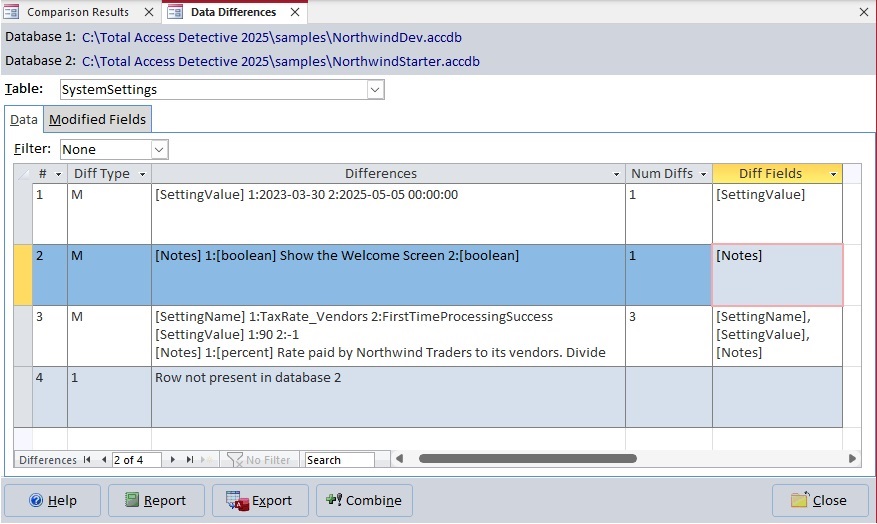
Data Tab
Every record that's different is shown with its primary key(s), difference type, and details. For modified records, the field differences, number of fields, and field names are listed.
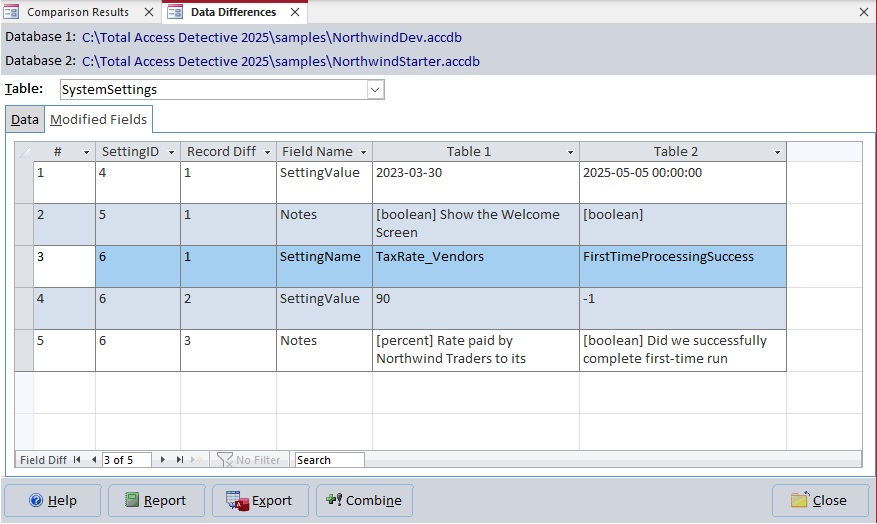
Modified Fields Tab
For each modified record, every field difference is shown side-by-side
While viewing the results, there are several options:
- Reports: Several reports are available for you to print, preview, report view, or export to file in formats like Adobe PDF, HTML, text, etc.
- Export: To export the data differences to a table in your database
- Combine: To select the records from the two tables to merge into a new table.
Once data differences are documented, a powerful feature lets you combine the data from your two tables into a new table in your database.
Visit Merge (Combine) Data from Two Microsoft Access Tables for more information.
Data Comparison Options
A variety of options are available for you to customize how to compare the two data sets, and what's generated:
Record Identifier
Record Identifier for Non-Keyed Tables and Queries
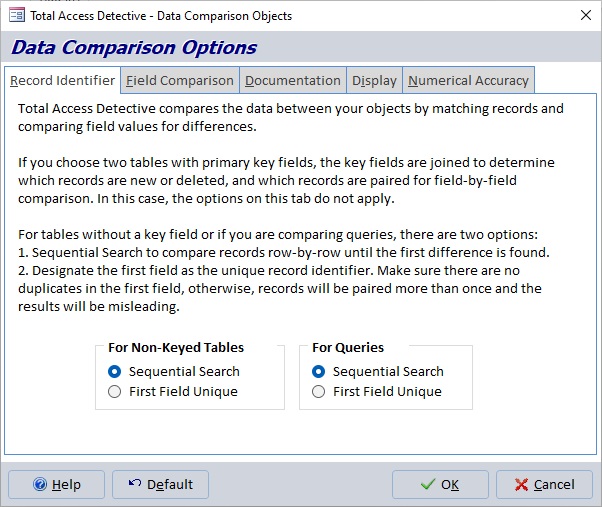
Specify Sequential Comparison or the First Field as a Unique Identifier
For keyed tables, the key field is automatically used to identify records for comparison. For unkeyed tables, Total Access Detective's default behavior is to compare the records sequentially and identify the first record that's different, which tells you the tables do not contain the same data but not beyond that.
You can perform more advanced analysis if the first field defines uniqueness for each table. This is particularly useful when comparing queries which never have a key field. With this, new, deleted, and modified records can be identified.
Field Comparison
Compare Tables with Different Columns
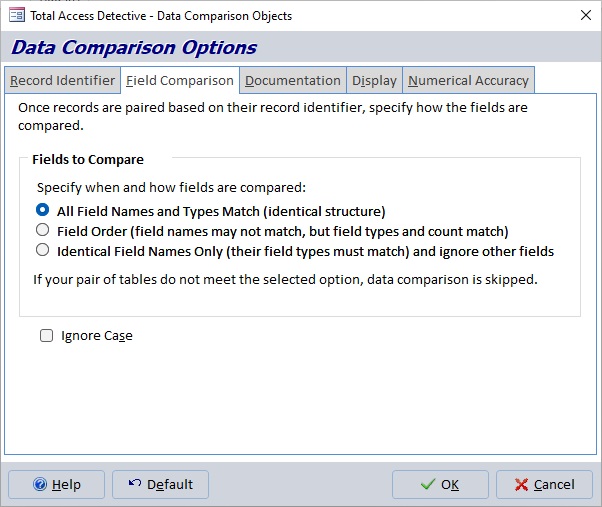
Specify How Fields are Matched for Comparison
Total Access Detective lets you compare data in tables with identical and "similar" structures by specifying the Field Comparison methodology:
- All field names and types match
- Compare fields by order regardless of field names, provided field types and number of fields match
- Compare identical field names regardless of field order; other fields are ignored
Documentation
What Documentation to Generate for Differences
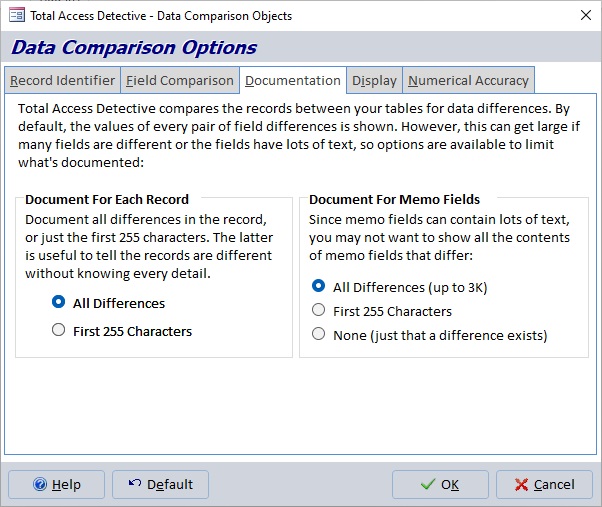
Control How Much Data is Shown for Each Modified Record
For every modified record, Total Access Detective creates a record documenting the difference and filling a memo field with details of every differing field and its values in the two records.
This may be a lot of information. To reduce this, you can limit the maximum number of character per record and/or a limit on the amount of text to show for memo fields which are different.
Display
Displaying Field Differences for Modified Records
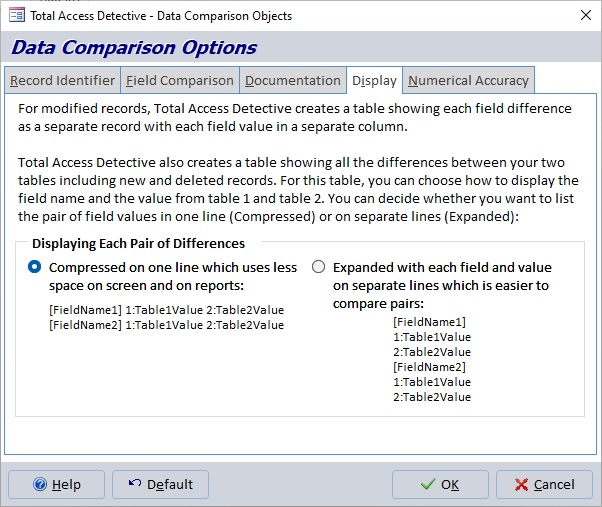
Display Field Differences on One Line or a Separate Line for Each Field
The memo field containing all the field differences in a modified record can be stored with one field difference on each line along with its two values, or a separate line for each field value to make it easy to compare values visually.
Numerical Accuracy
Ignore Small Differences Between Numbers
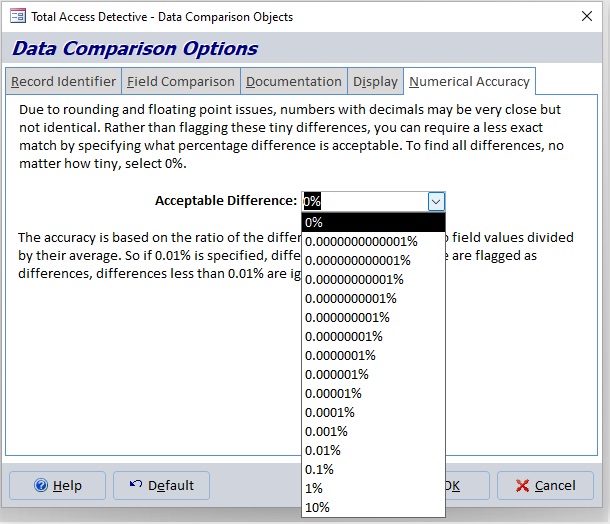
Specify the Minimum Percentage Difference for Comparing Numbers
Decide whether you want to see all numeric differences, or only differences that exceed a certain percentage. This lets you avoid small rounding errors and immaterial differences.

Microsoft Access 365/2024 Version is shipping!

New X.6 Versions for Access 2016, 2013 and 2010
New Version 12.9 for
Access 2007
Version 11.8 for
Access 2003

Reviews
"Total Access Detective is well worth every penny, it will quickly pay for itself through savings in time and effort."
Tom Cryan, Denver Access User Group product review

Best Debugging Tool
Detective Info

Why Detective?
Additional Info




