



Awards, Reviews, and Customer Testimonials for Total Access Analyzer
Awards
Winner of every Best Access Add-in award since 1994 and more awards than any other Access product, Total Access Analyzer is the world's premier database analysis and documentation program for Microsoft Access.

Recommended Product for 2013

Best Access
Add-In

Best Access
Developer Tool
Best Access
Documentation

Best Access
Debugging Tool
Best Access
Add-In
Best
Documentation Tool

Best
Documentation Tool
Best
Development Library

Best Access
Add-In

Best Access
Add-In
Published Product Reviews
Discover why so many top Microsoft Access developers rely on Total Access Analyzer to help them deliver better and more robust Access applications. Here are some quotes from their published reviews:
Portland Access User Group
 Total Access Analyzer is a solid product that any Access developer should have in their toolbox; and one that will pay for itself in short order. (Review)
Alison Balter
 I find that clients are impressed and comforted when I provide
them with detailed documentation about the applications that I build. Total Access Analyzer is
an easy-to-use tool that quickly generates documentation sure to impress just about any boss or client.
(Read More)
I find that clients are impressed and comforted when I provide
them with detailed documentation about the applications that I build. Total Access Analyzer is
an easy-to-use tool that quickly generates documentation sure to impress just about any boss or client.
(Read More)
Microsoft Access MVP
 I am impressed
with what the tool is capable of and I haven't even begun exploring everything it contains.
I highly recommend this tool to anyone doing MS Access development.
I am impressed
with what the tool is capable of and I haven't even begun exploring everything it contains.
I highly recommend this tool to anyone doing MS Access development.
Microsoft Access MVP
Total Access Analyzer
is a unique tool. If you want to know everything there is to know about your Access database - and I do mean everything - use Total Access Analyzer...
I could summarize Total Access Analyzer in one sentence: "You have to have this program!"
Microsoft Access MVP
The
results were very impressive and well organized so as to facilitate addressing the urgent issues first and progressively address suggestions and performance recommendations.
What I also appreciated was the ability to check off elements as I reviewed/fixed them.
Conclusion: I am truly impressed.... It is an easy to use tool and provides a huge amount of useful information in bite size piece that permits a developer to tackle one by one. It is highly flexible as well...I would have no hesitation to recommend it to both new and experienced developers. (Review)
Database Journal
 After running
the documenter on a second database I began to panic, thinking that perhaps I had overwritten the documentation of my first
database (which required an hour to compile). I scrambled for the user manual (it comes with a printed manual) and quickly located the
section, Selecting Another Output Database to View.
After running
the documenter on a second database I began to panic, thinking that perhaps I had overwritten the documentation of my first
database (which required an hour to compile). I scrambled for the user manual (it comes with a printed manual) and quickly located the
section, Selecting Another Output Database to View.
Yes, multiple output databases are saved for future reference and comparison. Over time you could collect what amounts to "snapshots" of your database schema, objects and their properties. That's a great feature!
Microsoft Online Certified Professional Magazine
 Total Access
Analyzer remains one of the most essential add-ins on the market for the serious Access developer.
Total Access
Analyzer remains one of the most essential add-ins on the market for the serious Access developer.
PC Week Product Review
 While the
amount of detail generated by Total Access Analyzer is extraordinary, the product is easy to use -
all its features are available through push buttons or check boxes.
While the
amount of detail generated by Total Access Analyzer is extraordinary, the product is easy to use -
all its features are available through push buttons or check boxes.
Microsoft Access MVP
The only
way to really know what's going on in your database. I especially like its module analysis and the way it catches unused variables and procedures.
Microsoft Access MVP
An indispensable
utility that comprehensively documents Access databases... Every serious Access user should own a copy.
Microsoft Access MVP
Total Access Analyzer
helps me find errors I could never discover with other tools. It thoroughly examines the structure of my databases and every property
and setting of every object in the database including the code. It shows me any errors and provides Suggestions for best practices and Performance Tips.
It also reveals any issues with code and documents how my code works, and can produce diagrams. It even helps find Embedded Macros and TempVars!
It is easy to see why the Total Access Analyzer has been the Winner of every Best Access Add-In Award since 1994....
Conclusion: Awesome! It is not often we can so enthusiastically recommend Tools for Access. But the Total Access Analyzer and the Total Access Detective are simply the best tools of their kind I have ever used. You can produce Access databases of the highest professional quality by using them. They make you look good. They are worth every penny you invest in them. (Review)

It's a superb add-in. Every Microsoft Access user and developer should own a copy.
Total Access Analyzer is an amazing product that I’ve relied on and recommended for years. It’s a huge time saver.
Customer Testimonials and Comments
Additional testimonials from global Microsoft Access experts and users!
Microsoft Access MVP
The
one I use, when I have little idea of what I'm working on (IOW someone else's database) is Total Access Analyzer.
Microsoft Access MVP
In
response to a question about getting a third party Microsoft Access documenter:
"The best tool is Total Access Analyzer"
Microsoft Access MVP
I
must say I love Total Access Analyzer! Whenever I get a DB application built by a not-so-professional,
the first thing I do is run it through Total Access Analyzer.
It saves my hours if not days of manually finding the flaws.
Microsoft Access MVP
I
have been using Total Access Analyzer since 2010, and I cannot work on any project without it.
Microsoft Access MVP
This tool is unique in its ability to document every aspect of my applications; my favorite feature is the
ability to identify unused objects within the database.
This feature allows me to identify and remove remnants from previous iterations of each application and reduce application size and complexity.
Experts-Exchange
 Well, I took the plunge and purchased it.
It's &%#@*&% great!
Experts-Exchange
I've always found Total Access Analyzer to be a great source of information about your database. I also use
Total Access Detective, which is great for determining the differences between two Access databases.
Experts-Exchange
FMS and their software has saved my keister more times than I can count. They have been documenting my applications since 1994. They
have been "agenting" for some of my customers since 2000.
Just the documentation tools of Total Access Analyzer helped me write better and more streamlined code by nagging me into it.
 Australia
Total Access Analyzer is great. It has improved my code, kept my boss happy about documentation and is easy and intuitive to use. Great Job!
 Denmark
One day when I was checking out the FMS homepage I took a look at Total Access Analyzer and found that it might be worth checking a bit closer. I downloaded the free demo and took a tour.
It had the printout functions that I had been looking for and it had so much more. I now have my own copy and I feel sorry for those who don't - this is THE TOOL!
 Germany
Your software products are very high quality and extremely helpful for us.
They aided us greatly in achieving a better quality of programming!
Thank you very much for your hard work on the newest version of Total Access Analyzer!
 The Netherlands
Total Access Analyzer has saved me a lot of time.
It's THE program to keep overview in large Access applications, and is also very handy for documenting applications
 South Africa
Total Access Analyzer solves Access documentation headaches for good!
It not only saves weeks of time in documenting Access databases, it's also easy to understand and has a great user interface.
 United Kingdom
Total Access Analyzer saved me weeks of code cleaning and greatly enhanced my applications' performance!
Access Developer
The product is great! I had four Access databases with linked tables
to SQL Server. Each database had some 60 forms, 80 ODBC linked and/or local tables, 200 queries, and around 100 reports each. I needed to
clean up and combine these database front-ends and their respective SQL back ends.
I don't know if I would have accomplished this with out using Total Access Analyzer. With the use of this tool I was able to clean up the VBA in all modules (get it to a compiled state). I was able to cross reference every object in the database (down to the field) such that I could find and remove unused objects and or correct errors.
Access Developer
My company has purchased Total Access Analyzer. As the primary developer here, I can say that I love Access Analyzer. I wish I'd had this a year ago! Thanks to the entire FMS team!
Andrés Wines Ltd.
I have been a fan of FMS since about 1996 when I found your free 3D text add-in for Access 2.0!! I was in college at the time and found your site to be a fantastic resource for learning about Access.
I currently use the Total Access Analyzer here at work. It's awesome!
Cybermed Corporation
Total Access Analyzer is the most comprehensive analysis tool for Access development that money can buy.
It pays for itself with your very first analysis run against an MDB.
Mabry Software, Inc.
I've had great success with Total Access Analyzer.
MedIntelligence
I used Total Access Analyzer to create a data dictionary for our 12 products in less than one week. Before using Total Access Analyzer, I avoided doing this for ~2 years because I did not think I would ever have the time to complete the project.
I used this information to reduce the number of data names from ~3000 to under 500. It 'paid' for itself in one week.
Access Developer
I've been using Total Access Analyzer in its various versions since 2000 - it's a 'must have' tool for me. (This is a big deal - I seldom endorse anything!)....
First act when I take over a db is run Total Access Analyzer so I've got a proper idea of what I'm dealing with. It's also the last thing I do on my way out the door.
I always do several comprehensive sets of TAA reports for my clients - a set saved as PDFs on a network share, another 2 sets of PDF burned to CD (one for my own files), plus one printed set for the manager and one for the support guys.
Litton Loan Servicing LP
I've been using Total Access Analyzer for about 5 years now. I use Total Access Analyzer almost exclusively for analysis of a database, and especially when I’m taking on a project that someone else built.
The application is invaluable for getting documentation started, analysis of the design, design flaws, and especially getting an understanding for the overall feel of the application.
I’ve recommended this product to numerous friends, and convinced my currently employer to make it a standard part of a new PC build for developers and analysts.
Access Developer
I have only been at my current company for 4 months developing the in-house systems. It is never easy inheriting somebody else's work, but is made particularly difficult here, as we do work for the pharmaceutical industry and everything we do has to meet stringent 'Good Laboratory Practice' guidelines.This means we have to rigorously test and document everything.
Total Access Analyzer has proved invaluable in assisting me in this testing and I am delighted to get my hands on the shipping product - especially as we have a Government inspection on Monday and I can now get all the paperwork right up to date!
Access Developer
Part way through the development cycle, near a critical delivery date of the application, I had a problem with my Access database and ran Total Access Analyzer.
I used the Module and Field XREF to locate several modules and fields that were inadvertently being used in calculations.
It proved extremely useful in locating what I needed, and I was able to deliver the application to the client.
Plural Access Developer
The Total Access Analyzer is a must have tool for any Access developer! Until Total Access Analyzer, there was no easy and quick way to fully document and understand the architecture of an Access database.
This tool paid for itself the first time my team used it and continues to pay for itself over and over. This tool is critical when reverse engineering databases we have inherited from other developers.
When a developer has not incorporated good development practices, understanding the database architecture has been like trying to navigate the New York subway system without a map.
Total Access Analyzer allows us to map out the database to start making sense of how the various objects are being used. We can then begin to eliminate unused objects.
Finally we start figuring out how to clean up the database. Using traditional methods (lots of wasted time hand mapping the system) this could take days. Now we can do it in matter of minutes.
Another tool that has proven helpful is Total Access Detective. The ability to compare objects can help us to quickly tell the difference between various objects with in different versions of a database.
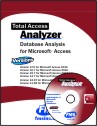
Microsoft Access 2019 / 365 Version is shipping!

Version 16.7 for
Microsoft Access 2016
Version 15.7 for
Microsoft Access 2013
Version 14.7 for
Microsoft Access 2010
Version 12.97 for
Microsoft Access 2007
Version 11.95 for
Microsoft Access 2003
Version 10.8 and 9.8 for
Access 2002 and 2000

Awards and Reviews

"Total Access Analyzer is an amazing product that I've relied on and recommended for years. It's a huge time saver."
Sal Ricciardi, Programming Writer, Microsoft Corporation
Analyzer Info


Why Analyzer?
Additional Info




