



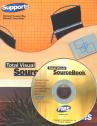
 User Manual for Total Visual SourceBook
Total Visual SourceBook is the most extensive professional source code library for Microsoft Access, Office, VBA, and Visual Basic 6.0. Written by our staff of Microsoft MVP's, authors, and experienced developers, much of this code can't be found anywhere else.
At FMS, we believe documentation is critical to your ability to maximize the value of our software products. The user manual is 101 pages and fully indexed to make it easy to learn about Total Visual SourceBook, how to use it, avoiding conflicts with your code, finding code with the search tool, adding new items and troubleshooting.
Download the User Manual
For your convenience and review, A PDF copy of the user manual is available for you:
 Total Visual SourceBook User Manual
Table of Contents
Chapter 1: Introduction
- About Total Visual SourceBook
- Product Highlights
- Enhancements in This Version
- Enhancements in Previous Version
- Visit Our Web Site
Chapter 2: Installation and Startup
- System Requirements
- Installation Overview
- Upgrading from a Previous Version
- Installing Total Visual SourceBook
- Supporting Multiple Developers
- Uninstalling Total Visual SourceBook
Chapter 3: Code Style, Conventions, and Usage
- Coding Overview
- Consistency
- Dependencies
- Avoiding Conflicts with Your Code
- Naming Conventions
- Error Handling
- Structured Programming Style and Formatting
- Other Issues
- Example Code
Chapter 4: Code Explorer
- Running the Code Explorer
- Using the Code Explorer
- Toolbar Icons
- Code Explorer Windows
- Getting Code into Your Project
- Finding Code with the Search Tool
- Using the Search Results
- Creating and Using Bookmarks
Chapter 5: Administrative Tools and Options
- Setting Options
- Code Databases Tab
- Error Handling Tab
- Export Tab
- Settings Tab
- Syntax Highlighting Tab
- Administrative Features
Chapter 6: Code Repository
- Code Repository Overview
- Importance of Backups
- Multi-User Issues
- System-Maintained Information
- Adding New Items
- Importing Code
- Saving Classes, Modules, and Procedures
- Editing Items
- Deleting Code
Chapter 7: Source Code Exchange
- About Source Code Exchange
- Creating an SCE Package
- Importing an SCE Package
- Importing Data from another Code Library
Chapter 8: Product Support
- Troubleshooting
- Web Site Support
- Technical Support Options
- Contacting Technical Support
Index
Microsoft Access/ Office 2016, 2013, 2010, and 2007 Version
is Shipping!

Supports Access/Office 2016, 2013, 2010 and 2007, and Visual Basic 6.0!

Reviews

Reader Choice
"The code is exactly how I would like to write code and the algorithms used are very efficient and well-documented."
Van T. Dinh, Microsoft MVP
SourceBook Info
Additional Info




