



Total VB SourceBook 5.0.1 for Microsoft Visual Basic
Visual Programming ++
by Rama Ramachandran, August 14, 1998
Quick Facts: Searchable, customizable library and repository of well-written Visual Basic code routines.
Have you ever wanted to reuse that nifty code routine you wrote a while back, but don't remember where you last saved it? If you are looking for a customizable, searchable repository of VB code snippets, Total VB SourceBook for Microsoft Visual Basic may be the answer.
Visual Basic programmers know from experience that when you write good, modular code, it can be reused in other projects. For example, if you have a nice routine to highlight an item in the drop-down list of a combo box automatically when the user types in a value, you want to store and retrieve it so that you can use it again someplace else. If you are like me, you will store all these code routines in a common directory on your machine in separate BAS or CLS files. But finding that elusive bit of code that you saved some time ago is a time-consuming job that Total VB SourceBook achieves quickly and efficiently.
A FAMILIAR INTERFACE
Total VB SourceBook presents its code routines in an interface called "Code Explorer," which is very similar to the Microsoft MSDN interface that VB developers know. A tree view on the left pane provides the categories into which code routines are segregated. You can drill down this tree to individual code segments and modules. When you highlight any code element, the right-hand pane displays useful information in a tabbed interface. You can see the code itself, neatly commented and color-coded similarly to the VB IDE.
In addition, you can see a Notes section that explains what the code does and its usage syntax. Not only does Total VB SourceBook provide the usage syntax, but it also provides a working example of using the selected code. As an added bonus, it also lists all additional modules, DLL files, or other library dependencies that are required to be in place before using the selected code. This list of dependencies alone makes the product worth its price. If you have ever downloaded code from a magazine listing or a newsgroup, you know that the dependency information (a required DLL, type library, or Declare statement) is not always provided. As a result, you have to spend hours figuring it out yourself to make the code work right. All the code in Total VB SourceBook has undergone extensive testing to make sure it works right out of the box.
All the code modules that ship with Total VB SourceBook follow consistent naming conventions, maintain the same style and formatting, and are well commented. These features are invaluable, not only for the experienced VB programmer, but also for the novice, as one can see and learn how to write good code. Total VB SourceBook includes code routines for handling Remote Data Objects (RDO) and Data Access Objects (DAO), routines to manipulate forms and controls, graphics, date and time, error handling, files and disks, searching and sorting, string handling, and more.
A search tool built into Total VB SourceBook provides full text searching within code modules and their notes, as well as searching for code routines by author, date created, and keywords assigned.
Total VB SourceBook can be run as a stand-alone application or invoked from within the VB IDE as an add-in. You can easily cut and paste the code into your project, or you can use the handy Export feature to export all selected code into a new or existing object in your VB project.
MULTI-DEVELOPER ENVIRONMENT
Total VB SourceBook supports a multi-developer environment. The code resides in a central location, which can be accessed by several developers. Each developer can access the built-in code modules and code routines that are developed and stored in the repository by others. Code stored in the repository can be tracked by author, date created/modified, and may be marked read-only to prevent changes by other developers.
Adding your own code to the code repository so that it is available to you and your colleagues is possible, but the process is clumsy. You first must add a new Class or Module to a Category. Then you must manually add each member or procedure within the Class/Module either by typing in your code or cutting and pasting it from the clipboard. This process is time consuming and awkward. It would be great if the next version of Total VB SourceBook had the ability to "Import" either your CLS or BAS file and parse the individual members and procedures as it reads, saving you the job of manually creating each one of them.
Total VB SourceBook is a well-designed code repository filled with valuable Visual Basic code that you will definitely reuse in your other projects. What makes Total VB SourceBook valuable is not only the quality of the code--which is well-commented, robust, and well-documented--but also the ability to add your own code routines, share them with your coworkers, and annotate existing code routines with your comments.
Rama Ramachandran is director of technology at Imperium Solutions, a Microsoft Solution Provider Partner. He specializes in custom client/server database systems on desktops and online using Visual Basic, Visual InterDev/ASP, Access, and FoxPro. Rama is the co-author of Que's "Visual Basic Expert Solutions," "VBPJ Guide to VB4," and "Building Integrated Office Solutions." Rama also teaches Visual Basic at the Fairfield University, CT.
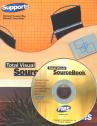
Microsoft Access/ Office 2016, 2013, 2010, and 2007 Version
is Shipping!

Supports Access/Office 2016, 2013, 2010 and 2007, and Visual Basic 6.0!

Reviews

Reader Choice
"The code is exactly how I would like to write code and the algorithms used are very efficient and well-documented."
Van T. Dinh, Microsoft MVP
SourceBook Info

Additional Info




