


Microsoft Access Table Differences with Data, Fields and Properties
Total Access Detective performs detailed comparisons between two tables to tell you exactly what's different. Compare two tables in one database or identically named tables in two databases.
Total Access Detective makes it easy to find changes to your tables:
- Table Properties (description, linked database connections, etc.)
- Fields
- Field Names in one table but not in the other
- Field Type, Size, and other properties for identically named fields
- Indexes
- Indexes in one table but not in the other
- Index Fields and Properties for identically named indexes
- Data
- Records in one table and not in the other (new or deleted records)
- Field differences for modified records
Visit finding the data differences between two tables to learn more about comparing records and the advanced options for comparing tables with different field definitions.
After performing the data comparison, you can also choose to combine the data into a new table.
When comparing two tables, you can compare the object (table design structure) and/or data:
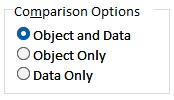
If you choose Object and Data, the results are displayed in a form with three tabs:
- Object: field, property, index, and other design differences
- Data: summary of new, deleted, and modified records
- Modified Fields: for modified records, its different field values
The last two tabs only exist if data comparison happens when the two tables have identical columns.
Table Comparison Results
A variety of options are available for you to customize how to compare the two data sets, and what's generated:
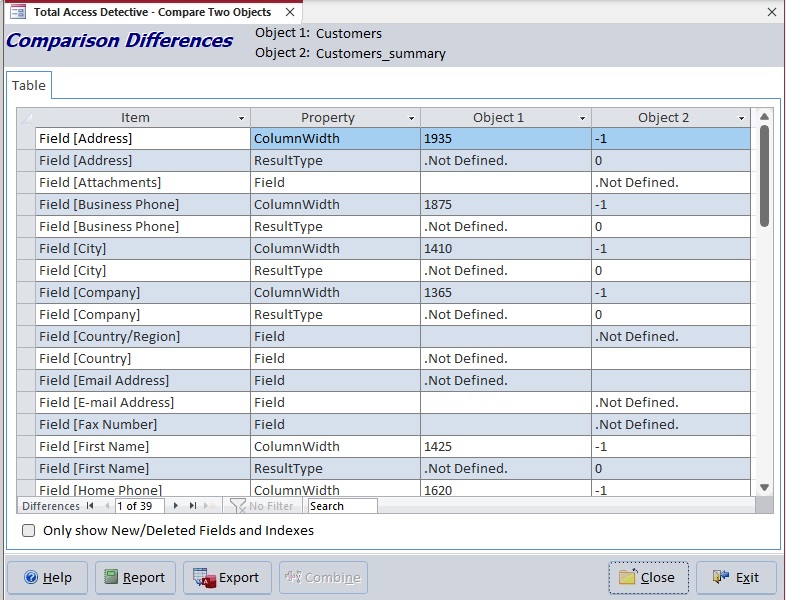
Design Differences Between Two Tables
See fields defined in one table but not the other and property differences
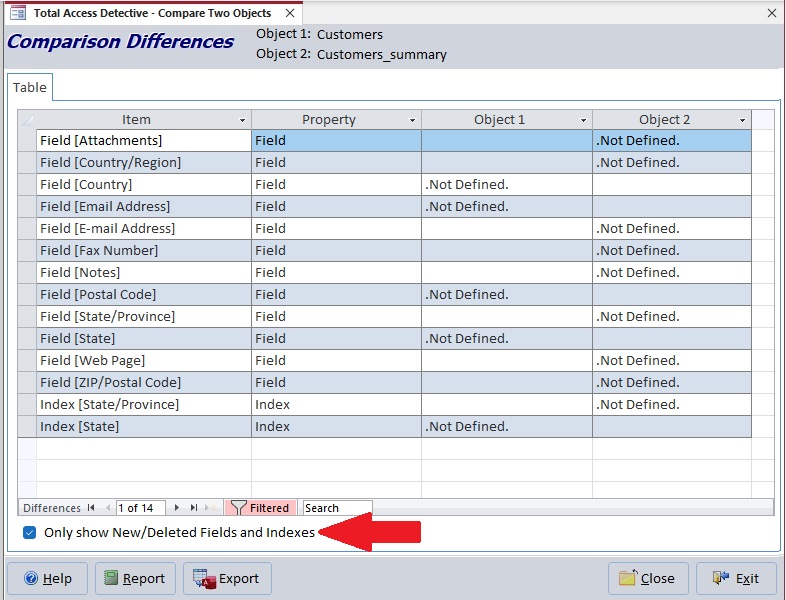
Fields in One Table but Not the Other
Filter to just see the fields defined in one table but not the other (could be added, deleted or renamed)
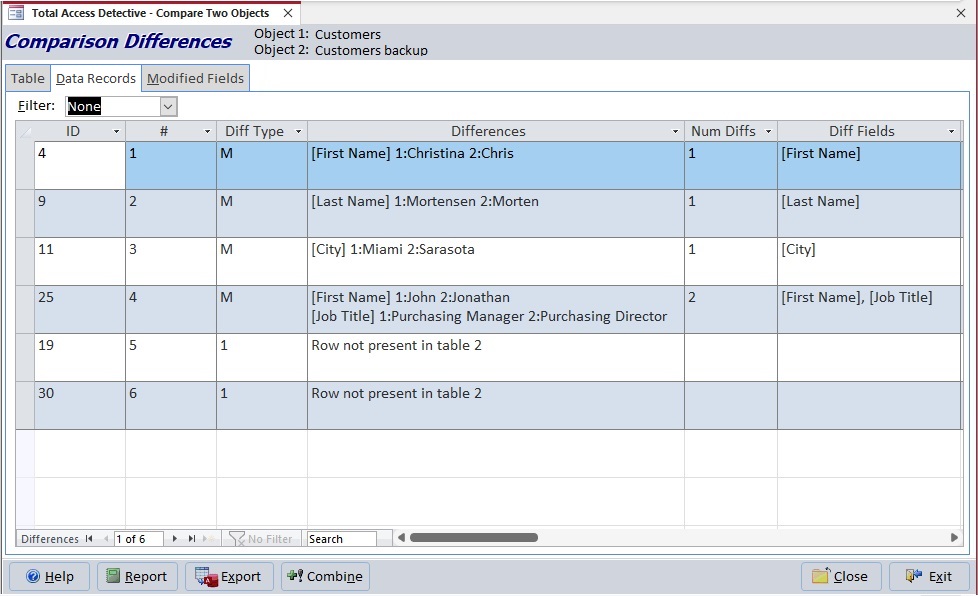
Data Differences Between Two Tables
For tables with the same fields, records can be compared to find new and modified records
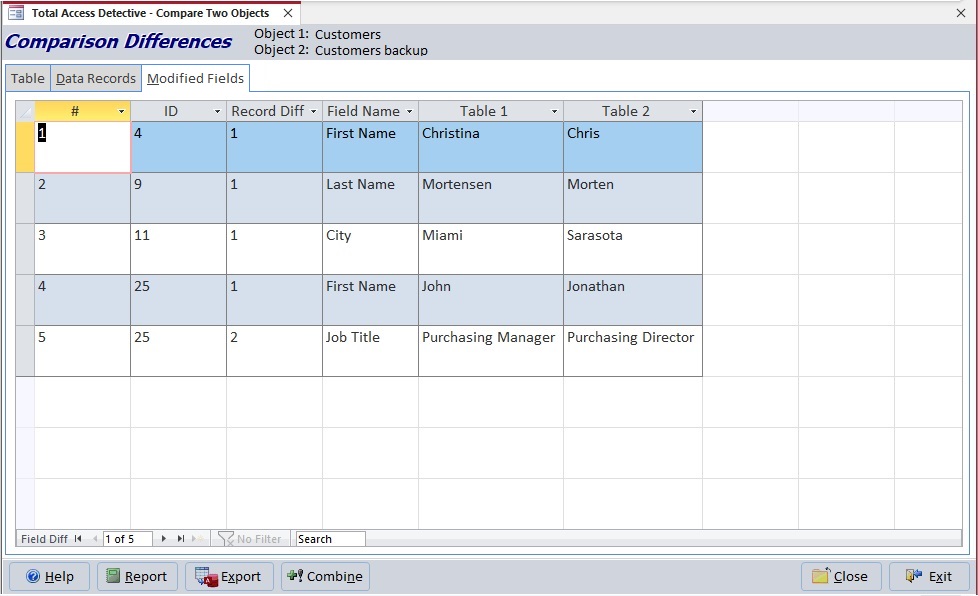
Field Differences for Modified Records Between Two Tables
For records with different data, see the modified values for each field in side-by-side columns
Reports are available for:
- List of table property differences.
- Records that are new, deleted or modified.
- Field differences for Modified records.
- Field names that were compared to each other.
By default, the field names are identical but if you chose to compare by field order, these may be different.
Microsoft Access 365/2024 Version is shipping!

New X.6 Versions for Access 2016, 2013 and 2010
New Version 12.9 for
Access 2007
Version 11.8 for
Access 2003

Reviews
"Total Access Detective is well worth every penny, it will quickly pay for itself through savings in time and effort."
Tom Cryan, Denver Access User Group product review

Best Debugging Tool
Detective Info

Why Detective?
Additional Info




