



 Microsoft Access Cross-Reference Diagrams
Total Access Analyzer generates cross-reference information that shows where and how each object is referenced. That's nice, but to really understand how your objects are connected, it's helpful to see the relationships across multiple levels.
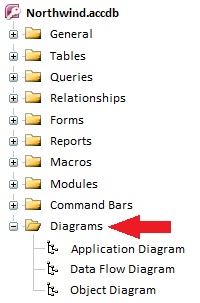
Three hierarchical diagrams visually reveal the entire family of related objects. You can view them interactively in a form with a treeview display or print it in a report:
- Application Flow Diagram shows procedure and event flow for the entire database
- Data Diagram shows how data flows from tables into queries, forms, reports, etc.
- Object Diagram shows what objects are referenced by a form, report, or query.
Select an Item and Redraw the Diagram from It
Application, Data Flow, and Object diagrams can also be redrawn to show the hierarchy of a single object you select. The redrawn diagram can also be printed from the Documentation Explorer, allowing you to view or print a report of a single object's diagram.
The Application Diagram shows the hierarchical flow of your entire application. It starts with the Startup form or Autoexec macro, then shows what procedures and objects it calls, along with the same for the called objects. Every form, report, or procedure that is not called by another object starts its own tree. This provides a visual overview of all your procedure calls, macro calls, and form and report events, and is the most detailed of the three diagrams.
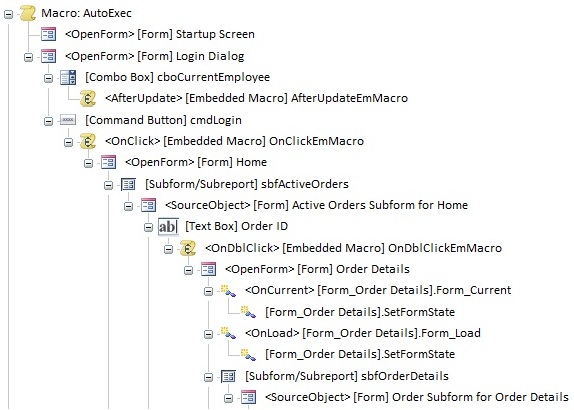
Treeview Application Flow Diagram Displayed in a Form
Application Flow Diagram Report
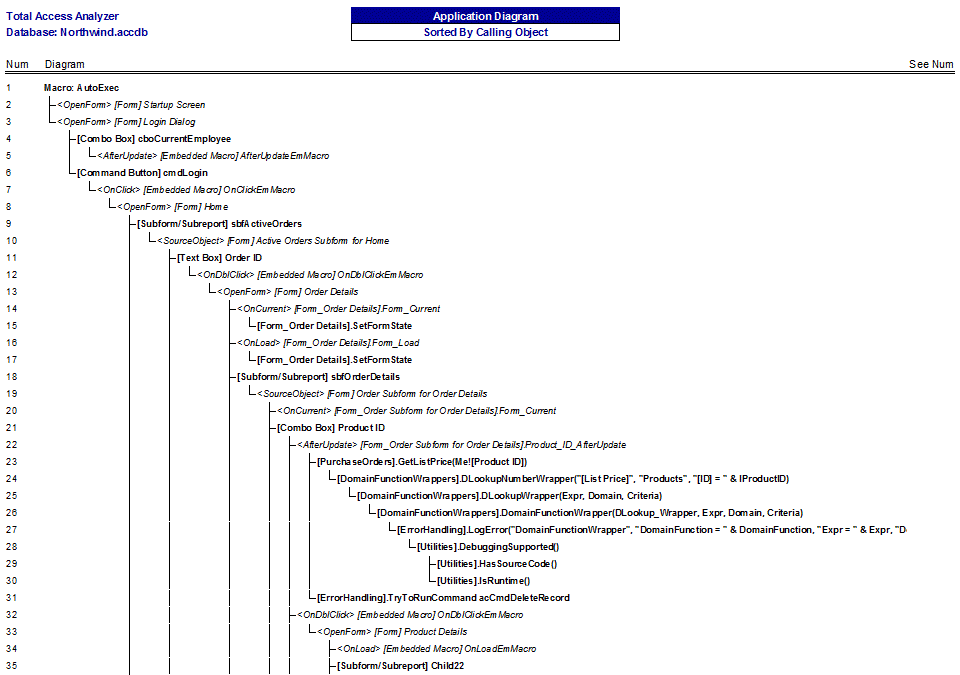
Sample Report for the Application Flow Diagram
The Data Flow Diagram shows how your database's tables are used across your application. See where the data flows from a table into a query, into a report, etc. The Data Flow Diagram illustrates the entire family of objects related to each table.
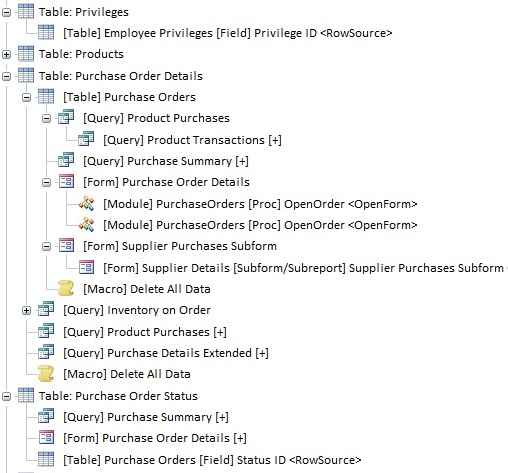
Treeview Data Flow Diagram Displayed in a Form
Data Flow Diagram Report
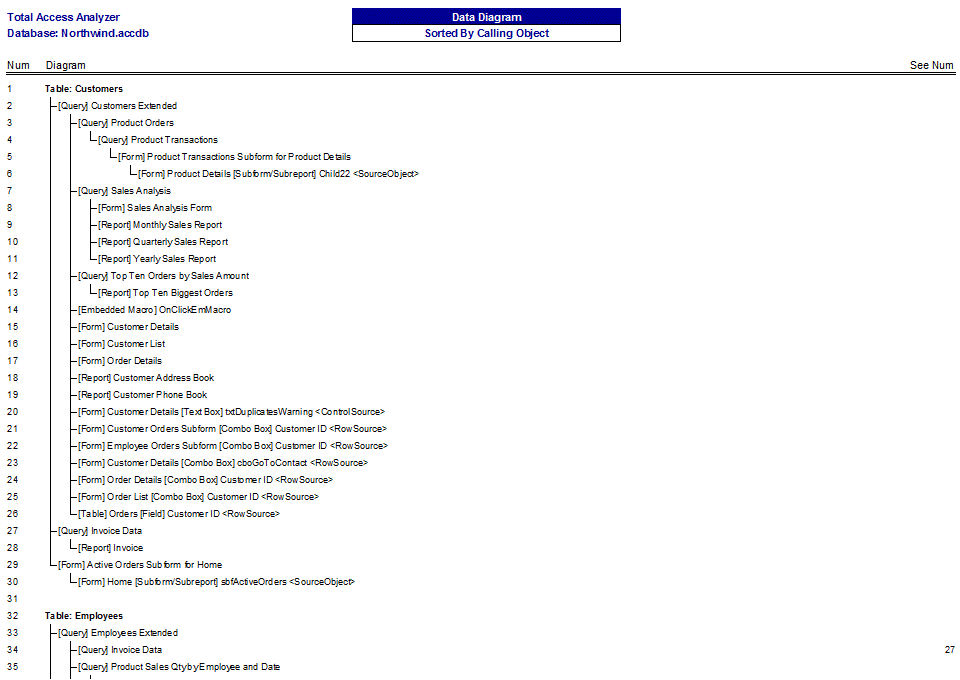
Sample Report for the Data Flow Diagram
The Object Diagram shows all the objects a form, report, or query is dependent on. You can quickly see a form, its subforms, and the queries, tables, and macros they use. Whether it's used in the RecordSource or combo box RowSource, the referenced object is displayed here. The Object Diagram is almost like the Data Diagram in reverse. Rather than seeing how data flows from a table, the Object Diagram reveals what flows into an object.
Unlike the Application Diagram, the Object Diagram includes form and report use of tables and queries, and excludes procedure calls. This significantly simplifies the diagram.
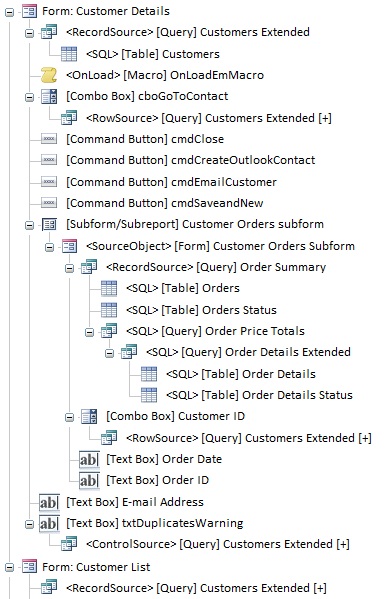
Treeview Object Diagram Displayed in a Form
Object Diagram Report
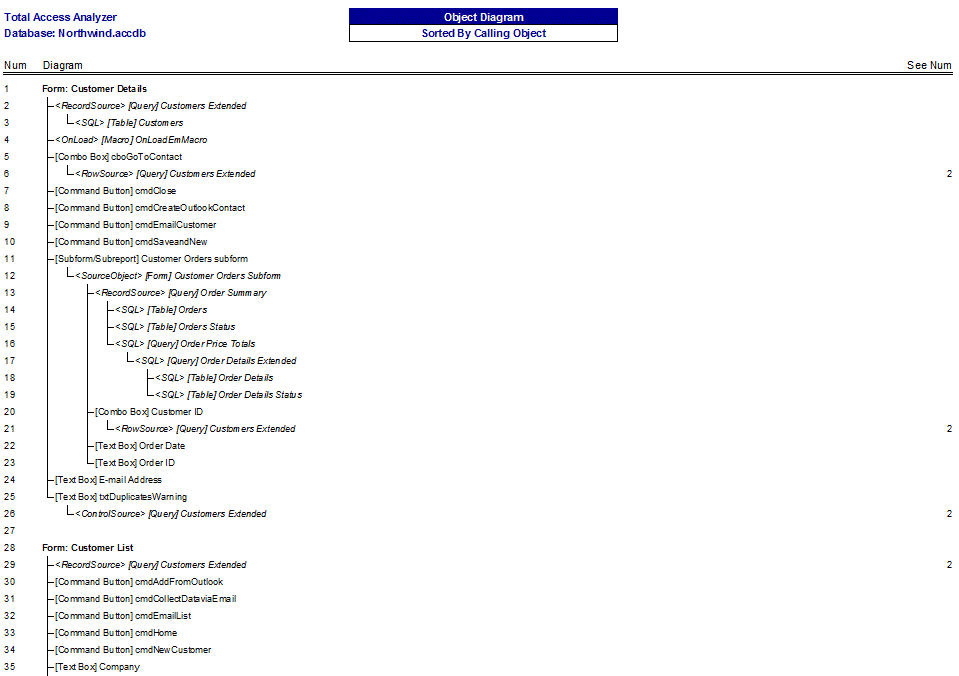
Sample Report for the Object Diagram
Microsoft Access 2019 / 365 Version is shipping!

Version 16.7 for
Microsoft Access 2016
Version 15.7 for
Microsoft Access 2013
Version 14.7 for
Microsoft Access 2010
Version 12.97 for
Microsoft Access 2007
Version 11.95 for
Microsoft Access 2003
Version 10.8 and 9.8 for
Access 2002 and 2000

Awards and Reviews



"Total Access Analyzer is an amazing product that I've relied on and recommended for years. It's a huge time saver."
Sal Ricciardi, Programming Writer, Microsoft Corporation
Analyzer Info


Why Analyzer?
Additional Info




