



Total Access Analyzer: Access Add-in Assists Documentation and Analysis
Visual Programming ++ (VB++)
by Rama Ramachandran
Microsoft's Access has evolved over three versions into a powerful database and query tool for the serious developer. Though still aimed at the end user, it provides extensive functionality for the developer to create powerful stand-alone applications. However, with increasing complexity of a database comes the ever-daunting task of documenting its structure, as well as data flow. FMS's Total Access (TA) Analyzer is by far head and shoulders above all other Access add-ins to help the serious developer document and analyze an Access database and its objects. Though not compatible with Access 7.0 for Windows 95, it is an excellent tool for your Access 2.0 database applications.
Using Version 2.5 of TA Analyzer is a two-step process. First you document your database, and the results are stored In a separate .TDB file. Then you view those results and print out reports if required. TA Analyzer performs a thorough documentation of all your database objects -- tables, queries, forms, reports, macros, and modules, as well as workgroup and user permissions, and presents a host of cross-reference features. And it uses a simple, consistent, easy-to-use interface to achieve all this. TA Analyzer installs itself as an Access add-in, and is therefore accessible from the File, Add-ins menu command in Access 2.0.
To document your database, you choose the "Document" button on TA Analyzer's main screen and choose what you wish to document. You can choose to document any and all objects in your database, as well as relationships and security features. You can also specify options for analysis of your database. You can generate a field cross-reference, wherein TA Analyzer maintains a list of all objects in your database -- queries, forms, macros, reports, and code -- that access a particular field in a table. You can also cross-reference modules in a similar way. new in version 2.5 is the ability to generate table relationships diagrams in a graphical manner similar to the Access Relationship window. Also, version 2.5 can generate bracketed module reports. This will let you identify beginning and ending of for, while, do and sub loops, and if and select case statements, and detect inconsistent coding, if any
TA Analyzer surpasses the functionality provided by Access' own Database Documenter. Unlike the functionality in Access, which lists controls and properties in a somewhat confusing manner, TA Analyzer provides the ability to view controls and their properties onscreen, one object at a time, as well as generate a more comprehensive report. Another useful feature is the ability to generate Form and Report blueprints -- images of a form or report that show at a glance what it will look like -- a very useful tool for documenting your application visually. And unlike Database Documenter, the only functionality of which is documentation, TA Analyzer excels in providing analysis of your database application. You can use the XRef buttons on TA Analyzer's View menu screen to view cross-references of different objects in your database and easily identify unresolved, or unused objects, be they tables, fields, queries, forms, or modules.
The level of documentation and cross-references alone is worth the price of this product, but the ability to generate diagrams from your database application makes TA Analyzer a steal. TA Analyzer can generate an Application diagram that presents in a tree format the sequence of calls to and from forms, reports, controls, macros, and procedures. This presents a top-level view of how your application works, something that is invaluable in situations involving knowledge transfer or inheritance of a previously-built Access application. In addition, TA Analyzer can generate data diagrams for the tables in your application, showing where each table is accessed from -- whether from a query, form, or report. Well-bracketed source code is a boon, and the ability to generate a visual duplicate of the Access relationships window does away with the need for a third party case tool to generate an ER diagram of your application.
TA Analyzer is rough in some spots and does have its Achilles' heel: It cannot present a concise view of a table with all its fields listed with their descriptions in a format identical to Access' Table design view -- a format that I find immensely useful to get a bird's eye view of a table and its structure. And although TA Analyzer can pick out errors in your database application as part of its analysis, it cannot make recommendations for structuring your tables and fields in a manner similar to access 95's Analyzer functionality -- something that many an Access developer would find useful, especially if tables are not set up properly, are not normalized, or are too normalized. And, in spite of all the functionality available in TA Analyzer, it is available only for Access 2.0. FMS says this is due to the instabilities of Access 95. However, FMS is working on a version of TA Analyzer for Access 97, with a host of new features planned for that release. For now, if you are developing with Access 2.0, you will find TA Analyzer an invaluable tool in your development arsenal.
Rama Ramachandran is a Director with Imperium Solutions in Westport, Connecticut. he specializes in the design and development of custom GUI-based standalone, network, and client/server database systems. He has developed database systems on Windows, Windows NT, and Win95 using Visual Basic, Access, FoxPro, and PowerBuilder. Rama has written for Visual Basic Programmer's Journal and is the co-author of Que's "Visual Basic Expert Solutions". "VBPJ Guide to VB4", and "Building Integrrated Office Solutions". Rama also teaches Visual Basic at the Fairfield University, CT. He lives in Stamford, CT with his wife Beena, and their son Ashish.
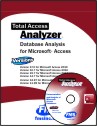
Microsoft Access 2019 / 365 Version is shipping!

Version 16.7 for
Microsoft Access 2016
Version 15.7 for
Microsoft Access 2013
Version 14.7 for
Microsoft Access 2010
Version 12.97 for
Microsoft Access 2007
Version 11.95 for
Microsoft Access 2003
Version 10.8 and 9.8 for
Access 2002 and 2000

Awards and Reviews



"Total Access Analyzer is an amazing product that I've relied on and recommended for years. It's a huge time saver."
Sal Ricciardi, Programming Writer, Microsoft Corporation
Analyzer Info


Why Analyzer?
Additional Info




